
Pomodoro timer · desktop app for Mac and Windows
The timer that knows what to do with the break
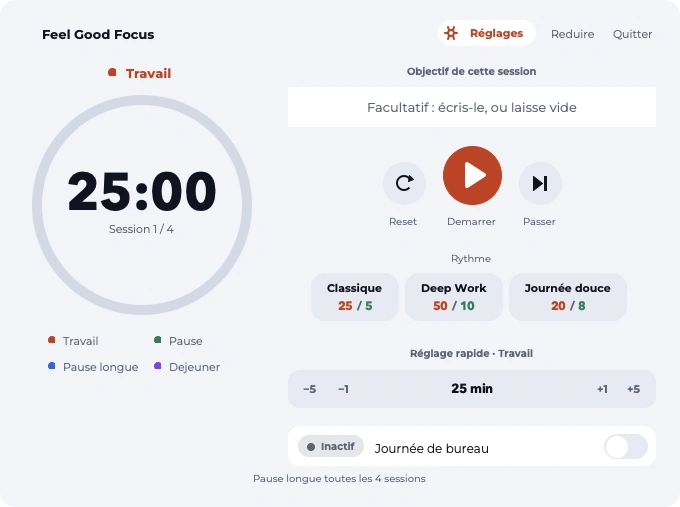
It splits your day into work sessions and real breaks. At every break, it asks what's tiring you and walks you through the matching exercise. Two minutes, seated, no equipment.
macOS 12 or newer Windows 10 or newerFreeNo account
60
guided breaks, each illustrated
7
zones of the body and mind
2 min
average length of a break
0
data that leaves your computer
Who it's for
For everyone whose job is spent seated, in front of a screen
The problem isn't a lack of willpower: it's that nothing in a day spent in front of a computer forces you to get up. Pause Focus takes care of that, and fills the break for you.
Office employees
Seven or eight hours seated, back-to-back meetings, and a lunch break eaten in front of the screen. The app splits up the day and reminds you to get up, without you having to think about it.
Freelancers
No one to tell you to stop, and a day that keeps stretching. The timer plays that role: it sets the limits that working for yourself doesn't set on its own.
Teams and companies
A concrete tool for quality of life at work, installable on every workstation without admin rights, plus an anonymized team report to measure what changes.
With headphones on
The app announces the phase and reads the instruction out loud. You can stand up, lean against a wall, do the move looking elsewhere: the break follows you.
No headphones, it's all on screen
Every step is written and illustrated. You read the instruction, step away from the screen to do it, come back for the next one. Nothing to memorize.
Why this one
There are a hundred Pomodoro timers out there. Ours takes care of the break.
A classic Pomodoro timer counts down and leaves you there. A break reminder shows a sentence and disappears. The comparison below is between families of apps, not brands.
| Pomodoro timer | Break reminder | Pause Focus | |
|---|---|---|---|
| Splits the day into sessions | yes | no | yes |
| Reminds you to take a break | yes | yes | yes |
| Tells you what to do during the break | no | partly | yes |
| Picks the exercise based on what's tiring you | no | no | yes |
| Illustrated moves, one step at a time | no | partly | yes |
| Sources cited in the app | no | no | yes |
| Alternative when the move isn't possible | no | no | yes |
| No account, no connection | yes | yes | yes |
The break has content, not just a duration
Most timers stop at the countdown: it's up to you to figure out what to do with those five minutes. Here the exercise is already there, guided, illustrated, doable seated.
It asks what's tiring you
Sitting for eight hours doesn't tire everyone in the same place. One question, eight answers, and the exercise follows.
No one is left out
Every one of the 60 breaks carries an "Otherwise" variant: the same benefit through a different move. Shown for everyone, never tucked into a separate box.
It follows your real day
Your start time, your finish time, your lunch break: the app splits up the day and syncs to the real time, even after your computer's been asleep.
Nothing leaves your machine
No account, no server, no stats sent anywhere. Your log stays on your computer, exportable whenever you want.
Content that's written, not generated
The exercises come from documented sources cited in the app: INRS, CCOHS, the American Academy of Ophthalmology, Harvard Health.
How a break unfolds
One question, one exercise, three seconds of check-in
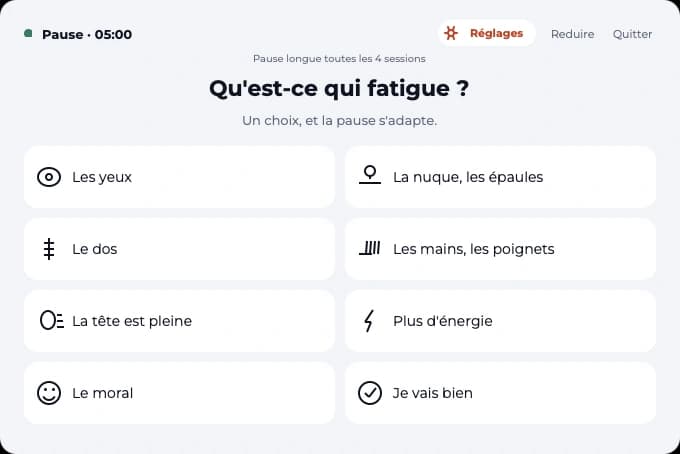
01 · the question
One click, and the break adapts
Eight possible answers, and the exercise follows. That's the difference between generic gymnastics you drop after three days and a move that responds to what you actually feel.
- My eyes
- Neck, shoulders
- My back
- Hands, wrists
- My head is full
- More energy
- My mood
- I'm doing fine
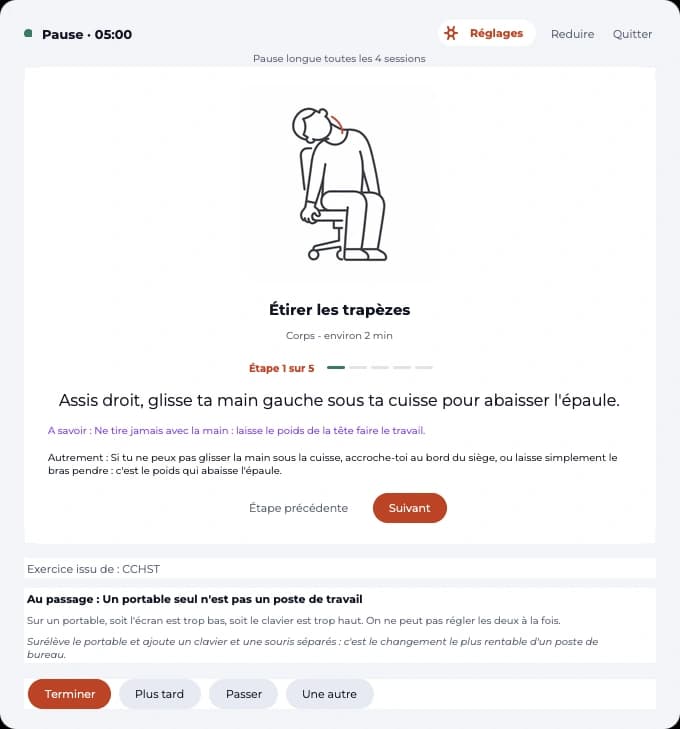
02 · the exercise
One step at a time, never a wall of text
One instruction, one drawing, the next button. Nothing to remember, nothing to interpret. Each exercise shows its source and the time left.
Along the way, an ergonomics tip: screen height, why a laptop isn't a workstation, lighting. These are the adjustments that pay off the most, and hardly anyone makes them.
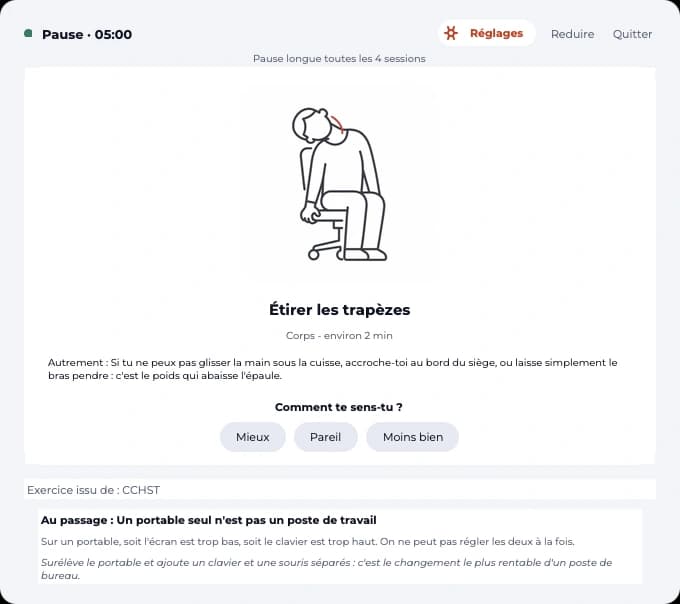
03 · the check-in
Better, same, worse
Nothing more. The breaks that actually help come back more often, the others fade out. After a few weeks, the selection looks like what works for you, not an average.
Stretching the trapezius
Instruction. Sitting up straight, slide your left hand under your thigh to lower the shoulder.
Otherwise. If you can't slide your hand under your thigh, hold onto the edge of the seat, or simply let your arm hang: its weight lowers the shoulder.
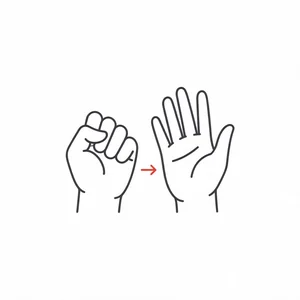
The cactus opener
Otherwise. If raising your arms strains the shoulder, keep your elbows at hip level and just open up the chest.
One more line, on all 60
"Otherwise": the same benefit, through a different move
An exercise that assumes you can raise your arms, turn your neck, or slide a hand under your thigh leaves people out. So every break carries a variant, written so the benefit stays the same when the standard move isn't possible.
It's not a separate chapter, nor an option buried in settings: the variant is shown right under the instruction, for everyone, as an ordinary detail.
These variants stay free, in every version.
The catalog
60 guided breaks, five categories
All doable seated, at your desk, no equipment, no need to change, and without the desk next to you noticing.
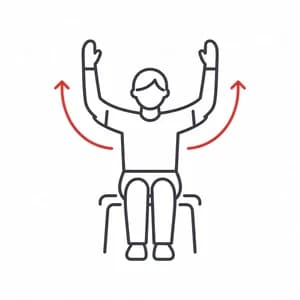
Body
23 breaks
Neck, shoulders, back, wrists, ankles.
Mind
13 breaks
Breathing, refocusing, mental tabs.
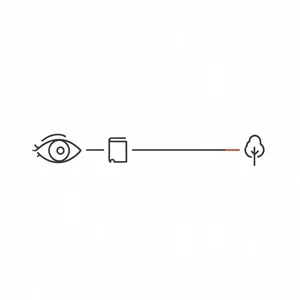
Eyes
9 breaks
Far then near, blinking, scanning.
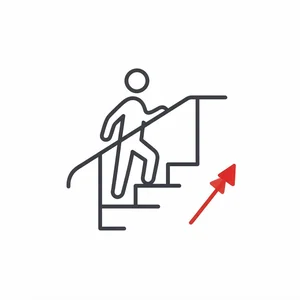
Energy
8 breaks
Stand up, climb a flight of stairs, drink water.
Emotional
7 breaks
Unclench your fists, take the edge off.
During the day
There when it matters, invisible the rest of the time
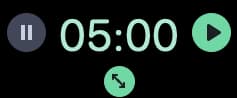
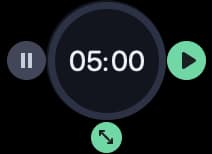
01 · the floating timer
Time in plain sight, no window to keep open
The countdown sits right on the screen, on top of everything else. Grab it by the numbers to move it, and two buttons appear on hover, one on each side.
Two shapes to choose from: numbers alone, or a ring that shows how far the session has gone. The menu-bar icon opens the window right below it, like a menu.
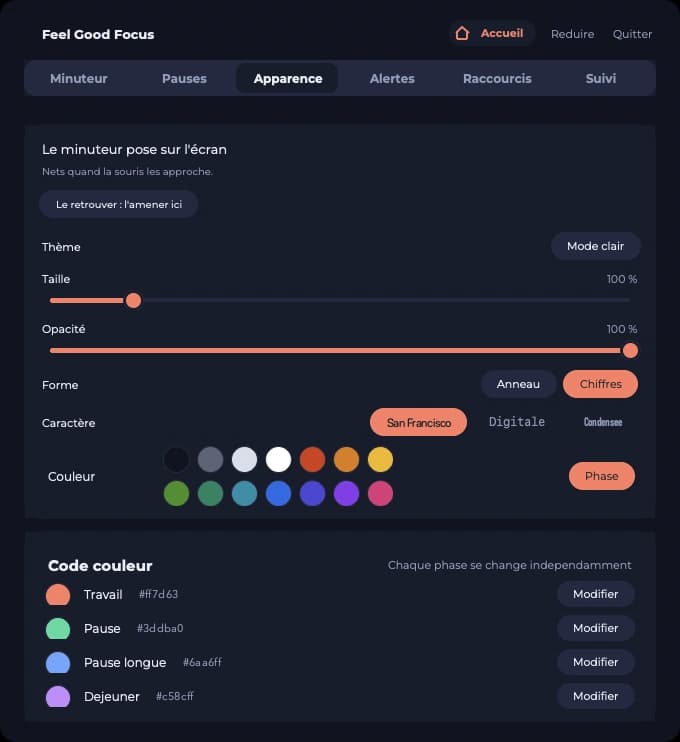
02 · settings
Your rhythm, your colors, your day
Classic 25/5, Deep Work 50/10, Gentle day 20/8, or your own, saved with one click. Fourteen colors for each phase, light and dark theme, voice announcements, keyboard shortcuts.
And an office-day mode: your start time, your finish time, your lunch break, and the app splits up the day on its own, following the real time.
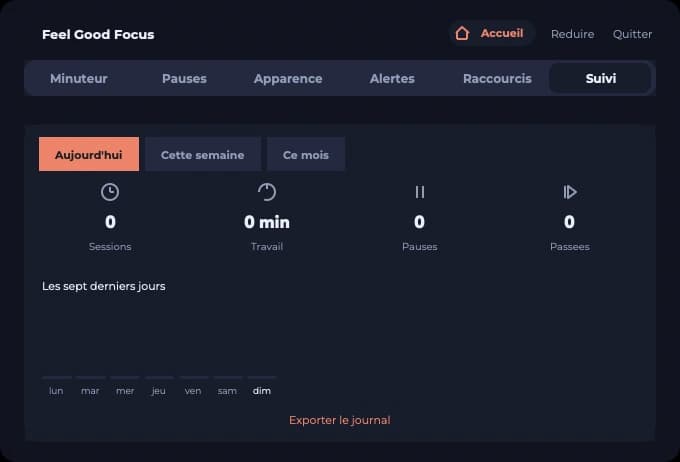
03 · tracking
What you actually did
Sessions, work time, breaks taken, breaks skipped: by day, week, or month. Time when no one's at the machine doesn't count, so the numbers don't lie.
The log exports to a spreadsheet or JSON, in the folder of your choice. Something to show an occupational doctor, an employer, or yourself in six months.
Plans
Free to build the habit, paid to go further
The free version isn't a crippled demo: the timer is complete, and the breaks it includes are enough to get through a full work week. Pause Focus + unlocks the remaining 45 breaks, the office day and the full history, on three computers.
Free
€0
Forever
The whole timer, and enough to take real breaks.
- The full timer and the floating timer
- 15 guided breaks, 3 per family
- The “Another way” variant on every one
- Light and dark theme, keyboard shortcuts
- Seven days of tracking and journal export
No account, no sign-up. Mac and Windows.
Pause Focus +
€29per year
38% less than monthly, and the book included.-38%
All 60 breaks, the office day, the full history.
- All 60 breaks, and the ones still to come
- Office-day mode, set to your own hours
- Full history and monthly summaries
- Unlimited saved rhythms
- Custom colours, shapes and voices
- The book “60 guided breaks” included
Your activation code arrives by email, right after payment.
Teams
On quote
From 10 seats
For a team, a department, a company.
- Everything in Pause Focus +, on every seat
- Installs without administrator rights
- Anonymised collective report
- Support on the disability side
- One invoice, one licence to manage
Your questions
What we get asked the most
Don't see your question here? Write to hello@pausefeelgood.fr, we'll answer.
What is the Pomodoro technique?
It's a time-management method developed by Francesco Cirillo in the late 1980s: you work on a single task for a fixed length of time, classically 25 minutes, then take a short 5-minute break. Every four sessions, the break is longer. The name comes from the tomato-shaped kitchen timer he used. Pause Focus applies this structure and goes further: it fills the break instead of leaving it empty.
How is it different from a classic Pomodoro timer?
A classic Pomodoro timer counts down the time and stops there: the break stays an empty slot you fill with coffee or scrolling. Pause Focus asks what's tiring you, then walks you through the matching exercise, step by step and illustrated. It's the content of the break that changes, not the countdown.
Do I need equipment, space, or to change clothes?
No. All 60 breaks are doable seated, at your desk, with no mat, no workout gear, and without the desk next to you noticing. A break lasts two minutes on average.
What if I can't do certain movements?
Every break carries an "Otherwise" line: the same benefit obtained through a different move when the standard one isn't possible, for example using a wheelchair, with a sore shoulder, or reduced mobility. This variant is shown right under the instruction, for everyone, and stays free in every version.
Does my data go anywhere?
No. There's no account to create, no server, no stats sent anywhere. Your session log stays in a file on your computer, which you can export to a spreadsheet or JSON whenever you want.
Which systems does the app run on?
On Mac and PC, free, with no account to create. You need macOS 12 or newer, or Windows 10 or newer. On Windows, the install is per-user, with no admin rights required, which matters in a company setting. And if your workstation blocks installs entirely, a portable version unzips into a folder and runs as-is. The app bundles everything it needs: there's nothing to install beforehand.
Where do the exercises come from?
They're based on recommendations documented in occupational health and ergonomics, cited in the app at the bottom of each exercise. Screen work, prolonged sitting, and eye strain are three topics well documented by public bodies and scientific societies.
Can I keep my usual work rhythm?
Yes. Three rhythms are included, Classic 25/5, Deep Work 50/10, and Gentle day 20/8, and you can save your own. An office-day mode also computes the whole day from your start time, your finish time, and your lunch break.
Is the app free?
Yes, the version you download is free and isn't a crippled demo: the timer is complete and 15 guided breaks are included, with their "Otherwise" variant. Pause Focus + unlocks all 60 breaks, office-day mode, and full history.
Your feedback shapes what's next
One idea kept, and the year is on us
Pause Feel Good is built with the people who use it. If a break is missing, if a move is poorly described, if a setting wastes your time: tell us. That's what produced half of what you just read.
Suggest what's missing
A break, an "Otherwise" variant, a setting, a fix: it's all said by email, in two lines. No form, no account to create.
If it's kept, a year on us
A relevant suggestion that actually gets built into the app earns you a year's license, free. We'll let you know when it's live.
The companion
The book of breaks
The sixty breaks also exist on paper, organized not by body part but by how you feel: when your neck is tight, when your head is full, when energy is low, when your mood isn't there. You open it to the page that matches your day.
Each move is illustrated, sourced, and comes with its "Otherwise" variant. The app sets the rhythm, the book gives the depth: why these moves, what they do, and how to set up a workstation that doesn't create pain in the first place.
Install it, and forget about it
It'll remind you. On Mac as on PC, free, no account to create.
20 MB, macOS 12 or newer · 15 MB, Windows 10 or newer
Not allowed to install anything on your machine? Portable Windows version (20 MB, 42 MB unzipped): a folder to unzip, nothing to install.
On first launch, your system will ask for confirmation. On Mac, right-click the app, then choose "Open". On Windows, click "More info", then "Run anyway". That's the usual step for an app distributed outside an app store. The Windows install doesn't require any admin rights.
New breaks and updates. Leave your email, we'll let you know.
Free No account Your data stays with you Light and dark theme